

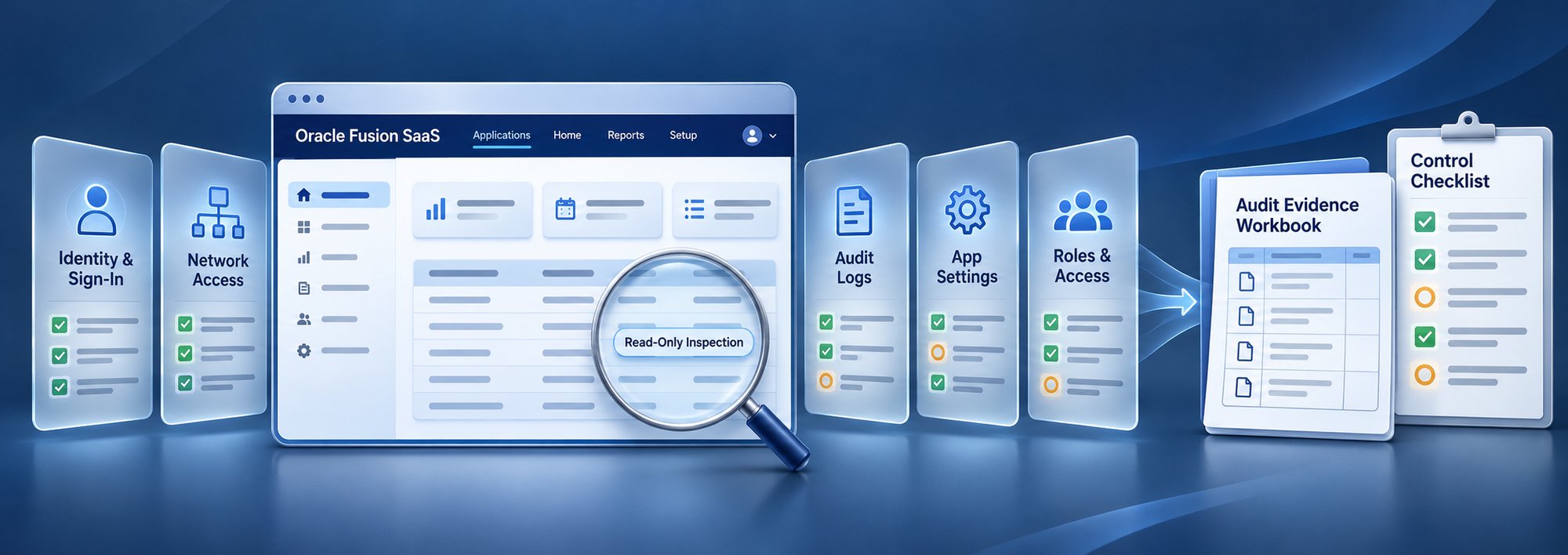
See where your Fusion tenant stands against all 44 CIS controls, with traceable evidence and no changes to production.
Oracle Fusion SaaS Security Assessment
Check your Oracle Fusion tenant against all 44 CIS benchmark controls, without changing a thing.
The assessment reads your tenant's identity, sign-in, audit and access-monitoring data through Oracle's own APIs. It shows which controls are met, which need a closer look, and the evidence behind each one. For settings managed outside Oracle's APIs, the report includes the CIS audit steps, so every control is covered.
- Read-only by design
- Credentials never stored
- Reports in HTML, Excel and Word
Select a control to see what the assessment checks.
A CIS review of Fusion usually means weeks of screenshots
Evidence for a SaaS security review is spread across the Security Console, the identity domain, audit settings and dozens of monitoring controls. Collecting it by hand is slow, and the result is hard to repeat next quarter.
| Today | With the assessment | |
|---|---|---|
| Collecting evidence | Screenshots and exports from several consoles | One read-only run collects it through Oracle's APIs |
| Coverage | The controls someone had time to check | All 44 benchmark controls, every run |
| Proving it | A slide deck an auditor has to trust | Each finding lists the API calls and the rows behind it |
| Next review | Start again from scratch | Run it again whenever you need a fresh view |
All five sections of the benchmark
Every control is assessed on every run. Where Oracle exposes the data, the assessment reads it. Where it does not, the report gives your team the CIS audit steps.
-
1
Identity and Access Management
14 controlsMFA on sign-in, Basic authentication still accepted, privileged role holders, integration credentials, and dormant and orphaned accounts.
-
2
Networking
7 controlsNetwork perimeters, access control lists, location-based access and WAF filtering, each covered with its CIS audit steps in the report.
-
3
Logging and Monitoring
5 controlsAudit settings for approval workflows, log export, BI Publisher and OTBI audit, and logging-pipeline monitoring.
-
4
Application Configuration Management
7 controlsChanges to audit policy, HCM security profiles, payment setups and IT superuser roles, plus unused custom roles and business setups. Checked from audit settings, audit history and the monitoring controls CIS recommends.
-
5
Application Access Control
11 controlsSegregation of duties for administrators, superusers and business users across Fusion, EPM and OCI, including ghost employees and shared accounts.
- 44CIS benchmark controls assessed
- 4sign-in methods: OAuth, JWT, token and Basic
- 105CIS-recommended monitoring controls looked up
- 0changes made to your tenant
From sign-in to evidence in four steps
Connect
Create a read-only assessment user with the access list we provide. Sign in with OAuth, JWT, a token or Basic authentication.
Collect
The assessment reads identity, sign-in, audit and monitoring data with GET requests, plus two Oracle read-only audit queries. Nothing is written.
Evaluate
Each of the 44 controls gets a clear result, with the evidence or the reason behind it.
Report
You receive an HTML report, an Excel evidence workbook, a Word report and JSON. Every control includes the CIS remediation steps for your team to review.
Evidence your auditors can follow
- A summary whose status counts always add up to the 44 controls.
- The user the assessment ran as, and how it signed in, on every report.
- Key concerns first, then every control with its result and evidence.
- An Excel workbook with every API call and one sheet per Oracle API read, so any number can be traced to its rows.
- The CIS audit and remediation steps for every control, next to what was found in your tenant. Your team decides what to apply.
- HTML report
- Excel evidence workbook
- Word report
- JSON
AUDIT.READONLY, signed in with OAuth1.13Active users with no role assigned (orphaned identities)High5.3.2CIS-recommended monitoring controls not deployed (0 of 14)High4.2.2CIS-recommended monitoring controls not deployed (1 of 3)Medium
Illustrative sample. Not customer data.
Built to be safe to run in production
A security assessment should never become a security risk. These rules are built into the tool, not left to configuration.
-
Read-only by design
Every call to your tenant is a GET request, except two Oracle read-only audit queries allowed by exact path. The tool has no code that creates, updates, submits or deletes.
-
Credentials never stored
Held in memory for the run only. The assessment never writes them to disk, a log or a report, and secret values in the evidence are masked.
-
Modern sign-in
OAuth and JWT are supported, so the assessment does not need Basic authentication. Tokens are renewed automatically during the run.
-
Named and traceable
Every report states the user it ran as, and every API call is logged with its result.
-
Never a guessed number
If Oracle refuses a request or times out, the report says so and shows why, instead of a zero.
-
Sees what the user sees
The report tells you when the assessment user's access hides part of the tenant, so a gap in access is never mistaken for a gap in security.
One assessment, read four ways
CISOs and security teams
A benchmark-based view of Fusion security posture.
Internal and external audit
Repeatable evidence, traced to its source.
Oracle application administrators
A clear list of what to fix, with the steps.
GRC teams
Proof that the CIS-recommended monitoring is in place.
From first call to findings
Talk to us
We scope the tenant and the assessment with your team.
Set up access
Your administrator creates the read-only assessment user from our access list.
Run and review
We run the assessment and walk your team through the findings.
Frequently asked questions
Does the assessment change anything in our tenant?
No. It only reads data, using GET requests and two Oracle read-only audit queries. Remediation steps are written into the report for your team; nothing is executed.
What access does the assessment user need?
Read access to the areas being checked: identity data, audit settings and the monitoring controls. We give your administrator an exact list of roles and access.
How long does it take?
On our test tenant a full run took about ten minutes. Tenants with many controls and incidents can take longer.
Which sign-in methods are supported?
OAuth (client credentials, password or JWT assertion), JWT with a trusted issuer, an access token, or Basic authentication.
What about settings Oracle does not expose through an API?
Some benchmark settings live in the OCI Console, the WAF or an Oracle service request rather than in Oracle's REST APIs. The report covers these too, with the CIS audit steps, so your team records the evidence in the same report.
Does it cover EPM?
Where the benchmark asks for monitoring across Fusion and EPM (controls 5.1.3, 5.3.2 and 5.3.6), the assessment checks for the recommended monitoring controls in your Fusion tenant.
Where do our credentials go?
They are used only for the run and are never stored, logged or written into a report.
Is this an official CIS product?
No. The assessment follows the published CIS Oracle SaaS Cloud Applications Benchmark v1.0.0. OneGlobe is not affiliated with or endorsed by CIS.
See where your Fusion tenant stands against the CIS benchmark
One read-only run, all 44 controls, evidence your auditors can follow.
CIS and CIS Benchmarks are trademarks of the Center for Internet Security, Inc. Oracle and Oracle Fusion are trademarks of Oracle and/or its affiliates. Sample screens use illustrative data.
Contact us!
Are you interested in learning more about OneGlobe? Are you ready to move forward on a project?
Provide your contact information and let's get started!
Partnerships & Alliances


Specialization


